

Measuring Content Marketing ROI: Strategies & Tools

Instagram Hashtags: Boosting Visibility and Engagement
In today’s digital landscape, web design plays a pivotal role in optimizing conversion rates. At our company, we understand the importance of creating a visually appealing and user-friendly website that drives conversions. By implementing effective design principles, businesses can enhance the user experience, increase engagement, and ultimately boost conversion rates.
With our expertise in web design and conversion-focused strategies, we are excited to share key principles that can help improve your website’s conversions. From UX/UI optimization to mobile optimization and clear call-to-action buttons, these principles will guide you towards creating a website that engages users and drives conversions.
Key Takeaways:
- Optimizing user experience (UX) is crucial for improving conversions.
- Responsive design ensures a consistent user experience across devices.
- Clear and compelling call-to-action (CTA) buttons can guide users towards conversions.
- A streamlined checkout process is vital for e-commerce websites.
- Visual hierarchy and attention-grabbing design elements can enhance user engagement.
Understanding the Importance of User Experience (UX)
When it comes to web design for conversions, user experience (UX) is paramount. A positive user experience involves creating a seamless and intuitive interface that allows users to navigate your website effortlessly. By incorporating UX/UI optimization techniques, businesses can reduce bounce rates and increase user engagement, ultimately leading to improved conversion rates.
One key aspect of optimizing UX is ensuring a clear and logical website structure. This involves organizing content in a way that is easy to follow and understand. By implementing a well-defined navigation system and providing clear pathways to relevant information, users can find what they’re looking for quickly and effortlessly.
Another crucial element of a positive UX is fast-loading pages. In today’s fast-paced digital world, users have little patience for slow websites. By optimizing loading speed through techniques such as image compression and code optimization, businesses can enhance user experience and reduce the likelihood of users abandoning their journey before converting.
Incorporating Visual Design Elements for Enhanced UX
Visual design elements also play a significant role in UX optimization. By strategically using colors, typography, and other design elements, businesses can create a visually appealing website that captivates users and guides them towards desired actions. Additionally, attention-grabbing design elements can direct user attention to important information, increasing engagement and conversion rates.
- Use contrasting colors to highlight important elements and create visual interest.
- Choose fonts that are easy to read and visually pleasing.
- Ensure that images and graphics are high-quality and relevant to the content.
- Implement whitespace strategically to enhance readability and create a sense of balance.
By prioritizing user experience throughout the web design process, businesses can create websites that not only look great but also offer a seamless and enjoyable browsing experience for their target audience. This, in turn, leads to increased engagement, improved brand perception, and ultimately, higher conversion rates.
Responsive Design for Mobile Optimization
In today’s digital landscape, mobile devices have become an integral part of our lives. People rely on their smartphones and tablets for various tasks, including browsing the internet and making online purchases. As a result, it is essential for businesses to prioritize responsive design when creating their websites to optimize conversions.
Responsive design ensures that a website adapts seamlessly to different screen sizes and resolutions. Whether your customers are accessing your site from a desktop computer, a smartphone, or a tablet, they should have a consistent and user-friendly experience. By providing a mobile-friendly design, you can reach a wider audience and maximize conversions.
The Benefits of Responsive Design:
- Improved User Experience: A responsive website offers a smooth and intuitive browsing experience, allowing users to navigate easily through your site and find the information they need.
- Reduced Bounce Rates: Mobile users are more likely to leave a website that is not optimized for their device. By implementing responsive design, you can minimize bounce rates and keep visitors engaged.
- Increased Visibility: Responsive design also plays a crucial role in search engine optimization (SEO). Google and other search engines prioritize mobile-friendly websites in their rankings, ensuring your site is more visible to potential customers.
- Enhanced Brand Perception: A well-designed and mobile-friendly website portrays your brand as modern, professional, and customer-centric. This can build trust and credibility, leading to higher conversion rates.
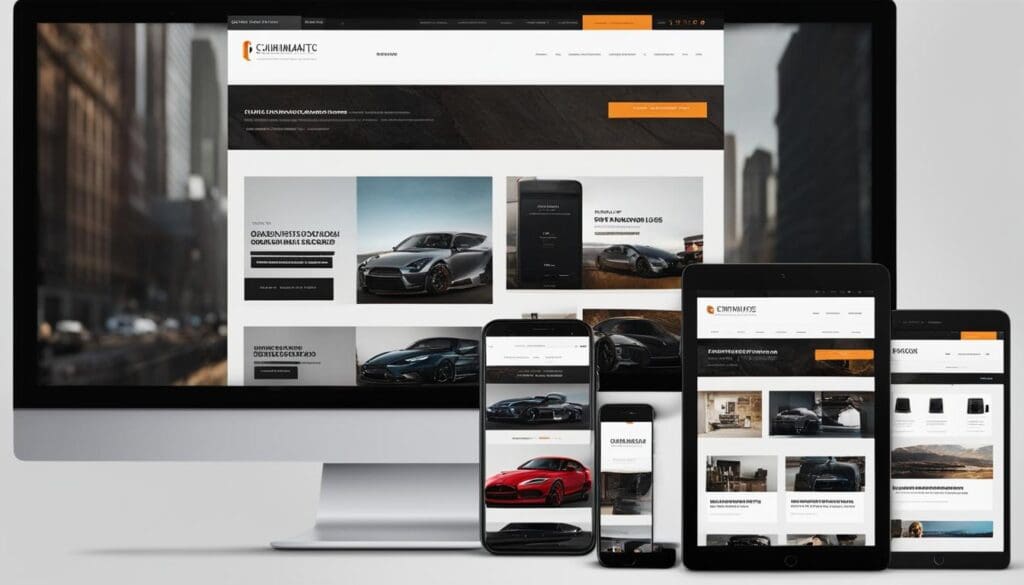
Overall, responsive design is a fundamental aspect of web design for conversions. By ensuring that your website is accessible and user-friendly across all devices, you can provide a seamless experience for your audience and increase the likelihood of conversions. Remember, the key is to prioritize mobile optimization without neglecting desktop users, as they are still an essential part of your target market.
Clear and Compelling Call-to-Action (CTA) Buttons
A well-designed website with compelling content is crucial for engaging users, but it’s equally important to guide them towards taking action. That’s where clear and compelling call-to-action (CTA) buttons come into play. These buttons serve as the gateway to conversions by prompting users to perform specific actions, such as making a purchase, signing up for a newsletter, or requesting more information.
The key to effective CTA buttons lies in their design and placement. They should be prominently displayed on your website, easily distinguishable from the surrounding content, and use persuasive language that compels users to take action. Use contrasting colors, bold typography, and strategic placement to make your CTAs visually appealing and attention-grabbing.
Additionally, it’s important to align your CTA buttons with your overall brand message and tone. Consistency in design and language helps build trust and ensures that users understand what they can expect when they click on the buttons. A clear and compelling CTA button will not only increase click-through rates but also guide users towards the desired action, ultimately boosting your conversion rates.
Streamlined Checkout Process for E-commerce Websites
When it comes to e-commerce websites, one of the most critical aspects of web design for conversions is a streamlined checkout process. The checkout process is the final step in the customer journey, where they make the decision to complete their purchase. If this process is complicated, time-consuming, or confusing, it can lead to high cart abandonment rates and lost sales.
So, how can you optimize your checkout process to improve conversions? Here are some key strategies:
- Simplify the form: Minimize the number of fields required to complete the purchase. Only ask for essential information and consider implementing an autofill option to make it easier for customers.
- Enable guest checkout: Not everyone wants to create an account before making a purchase. Offering a guest checkout option eliminates this barrier and allows customers to complete their purchase quickly.
- Provide multiple payment options: Offering a variety of payment methods, such as credit cards, PayPal, or digital wallets, gives customers the flexibility to choose the option they are most comfortable with.
- Show progress indicators: Displaying a progress bar or step-by-step indicators during the checkout process helps customers understand how far they are in the process and reduces any uncertainty or confusion.
By implementing these strategies, you can create a seamless and hassle-free checkout experience for your customers, increasing the chances of them completing their purchases and boosting your conversion rates.
Summary:
A streamlined checkout process is crucial for e-commerce websites to improve conversions. Simplifying the form, enabling guest checkout, providing multiple payment options, and displaying progress indicators are effective strategies to enhance the checkout experience. By optimizing the checkout process, your business can minimize cart abandonment rates and increase the likelihood of customers completing their purchases.
Visual Hierarchy and Attention-Grabbing Design Elements
When it comes to web design for conversions, visual hierarchy and attention-grabbing design elements are key. By strategically using contrasting colors, bold typography, and strategic placement of elements, businesses can guide user attention and emphasize important information.
To create a visually appealing and persuasive website, consider the following:
- Contrasting Colors: Use colors that complement each other and create a visual contrast, making important elements stand out. For example, a bright CTA button against a neutral background.
- Bold Typography: Choose fonts that are easy to read and make important headlines or statements stand out. Bold fonts can draw attention and guide users through the content.
- Strategic Placement: Position important elements, such as CTAs or key messages, in prominent areas of your website. Consider using the F-pattern layout, where users’ eyes naturally scan from left to right and top to bottom.

Attention-Grabbing Design Elements
In addition to visual hierarchy, attention-grabbing design elements can further enhance user engagement. Consider incorporating the following:
- Animations: Use subtle animations to draw attention to specific elements or provide visual feedback to user interactions. However, be cautious not to overuse animations, as they can become distracting.
- Visual Cues: Utilize arrows, icons, or other graphical elements to direct users’ attention and guide them towards important information or actions.
By employing these design strategies, you can create a visually captivating website that not only grabs users’ attention but also encourages them to take the desired actions, ultimately improving your conversion rates.
Optimized Loading Speed for Better User Experience
Fast loading speed is a critical aspect of web design that greatly impacts user experience and conversion rates. When a website takes too long to load, visitors are more likely to abandon it and look for alternatives. In fact, studies have shown that even a one-second delay in page load time can result in a significant drop in conversions. Therefore, it is essential to optimize loading speed to ensure a seamless and engaging user experience.
To improve loading speed, several techniques can be employed. One effective method is image compression. By reducing the file size of images without compromising quality, websites can load faster without sacrificing visual appeal. Additionally, implementing browser caching allows certain elements of a webpage to be stored on a user’s device, reducing the need for repetitive downloads and speeding up subsequent page loads.
Optimizing code is another crucial factor for enhancing loading speed.
By minifying and compressing CSS and JavaScript files, unnecessary code can be removed, resulting in faster loading times. This optimization technique helps reduce the overall size of web pages, making them quicker to load. Furthermore, utilizing content delivery networks (CDNs) can distribute website content across multiple servers worldwide, ensuring faster access for users regardless of their geographical location.
By prioritizing loading speed in web design, businesses can provide visitors with a positive user experience and increase the likelihood of conversions. Remember, a fast-loading website not only improves performance but also enhances credibility and professionalism, leaving a lasting impression on users. Take the necessary steps to optimize loading speed, and watch your conversion rates soar.
Social Proof and Trust Signals
Social proof and trust signals are essential elements in web design that can instill confidence in users and significantly increase conversions. By incorporating these elements into your website, you create a sense of trust and credibility, encouraging visitors to take the desired actions.
Social Proof
Social proof refers to the influence that the actions and opinions of others have on our own behavior. By displaying testimonials, reviews, and case studies, you can showcase the positive experiences of your satisfied customers and build trust with potential customers. Hearing from others who have had a positive experience with your product or service helps to alleviate any doubts or concerns users may have, making them more likely to convert.
Trust Signals
Trust signals are visual cues that indicate the trustworthiness and credibility of your website. These can include trust badges, security seals, or certifications from reputable organizations. By prominently displaying these trust signals, you assure visitors that their information is safe and that your website can be trusted. This sense of security and credibility can go a long way in increasing conversions.
Remember, when incorporating social proof and trust signals into your web design, be strategic and authentic. Use real customer testimonials and verifiable trust badges to establish credibility. Additionally, consider leveraging social media integration to showcase positive social interactions and engagement with your brand. By doing so, you create an environment that fosters trust and encourages visitors to take action.

Creating a website that effectively utilizes social proof and trust signals requires careful planning and implementation. By incorporating these elements into your web design, you can establish trust, build credibility, and ultimately increase conversions. So, don’t overlook the power of social proof and trust signals in your web design strategy – they can make a significant impact on your bottom line.
Effective Use of Colors and Visual Design Elements
When it comes to web design for conversions, the strategic use of colors and visual design elements plays a crucial role. Colors have the power to evoke emotions and influence user behavior, making them an essential tool in creating a visually appealing and persuasive website. Here are some key considerations for effectively using colors and visual design elements:
1. Understand Color Psychology
Colors have different meanings and associations, and understanding color psychology can help you choose the right palette for your website. For example, blue is often associated with trust and professionalism, while red can evoke a sense of urgency or excitement. Consider the emotions you want to elicit from your target audience and select colors that align with your brand’s personality and values.
2. Create Visual Hierarchy
Visual hierarchy refers to the arrangement of elements on a webpage to guide users’ attention. By using colors and design elements strategically, you can create a clear visual hierarchy that highlights important information and calls to action. For example, using a contrasting color for your primary call-to-action button will make it stand out and draw users’ attention.
3. Use Consistent Branding
Consistency in branding is key to establishing credibility and trust with your audience. Ensure that the colors and visual design elements on your website align with your brand identity across all platforms. Consistent branding not only helps create a memorable user experience but also reinforces your brand’s message and values.
- Understand Color Psychology
- Create Visual Hierarchy
- Use Consistent Branding
By effectively using colors and visual design elements, you can create a website that not only looks visually appealing but also encourages conversions. Remember to consider color psychology, create a clear visual hierarchy, and maintain consistent branding throughout your website. With these strategies in place, you can engage users, build trust, and ultimately boost conversion rates.
Conclusion
In conclusion, web design plays a crucial role in optimizing conversion rates. By implementing effective design principles, businesses can enhance the user experience, increase engagement, and ultimately boost conversion rates. We have explored key web design principles that can help improve conversions in this article.
From understanding the importance of user experience (UX) to creating a responsive design for mobile optimization, each aspect of web design contributes to maximizing conversions. Clear and compelling call-to-action (CTA) buttons guide users towards desired actions, while a streamlined checkout process simplifies e-commerce transactions.
Visual hierarchy and attention-grabbing design elements help direct user attention and emphasize key information, while optimized loading speed improves overall user experience. Incorporating social proof and trust signals instills confidence in users and increases conversions. Additionally, strategic use of colors and visual design elements creates a visually appealing and persuasive website.
Remember, ongoing testing and analysis of design elements are essential to ensure continuous optimization for conversions. By following these conversion-focused design principles and consulting with our team at Solved, you can unlock your website’s full potential and start boosting your conversion rates today.
FAQ
What role does web design play in optimizing conversion rates?
Web design plays a crucial role in optimizing conversion rates by enhancing the user experience, increasing engagement, and ultimately boosting conversions.
How does user experience (UX) impact web design for conversions?
User experience (UX) is critical for conversions as it involves creating a seamless interface, clear navigation, and fast-loading pages, which can reduce bounce rates, increase engagement, and improve conversions.
Why is responsive design important for mobile optimization?
Responsive design ensures websites adapt to different screen sizes and resolutions, providing a consistent user experience across devices. This helps businesses reach a wider audience and maximize conversions.
Why is a clear and compelling call-to-action (CTA) crucial for conversions?
A clear and compelling call-to-action (CTA) guides users towards taking the desired action. Optimized CTAs increase click-through rates and prompt users to convert.
How does a streamlined checkout process improve conversions for e-commerce websites?
A streamlined checkout process simplifies the steps required to make a purchase, reducing friction and barriers that can prevent conversions.
How do visual hierarchy and attention-grabbing design elements impact conversions?
Visual cues, such as contrasting colors, bold typography, and strategic placement of elements, direct user attention and emphasize important information. This enhances engagement and guides users towards desired actions.
Why is fast loading speed important for web design and user experience?
Fast loading speed is crucial as slow-loading pages can lead to high bounce rates and decreased conversions. Optimizing loading speed improves user experience and boosts conversion rates.
How can social proof and trust signals be incorporated into web design?
Testimonials, reviews, trust badges, and social media integration are effective ways to showcase credibility and build trust with potential customers, leading to increased conversions.
How do colors and visual design elements impact web design for conversions?
Colors and visual design elements evoke emotions and influence user behavior. Strategically using colors and visual elements that align with the brand and target audience creates a visually appealing and persuasive website that encourages conversions.
How can businesses optimize their web design for conversions?
By implementing conversion-focused design principles, optimizing user experience, employing various design strategies, and continually testing and analyzing the effectiveness of design elements, businesses can create websites that engage users and increase conversions.
Note: The HTML structure provided above is based on your request. Please make sure to include appropriate tags when using this structure in your website’s HTML code.